Search Court Records by Name
Enter first name, last name, and state to prepare a court records search.
Essex County MA Probate Court Records, Forms, Fees, eFiling & Virtual Registry Help
Use this guide to find the correct Essex Probate and Family Court resource before you file, search a docket, request copies, use eFiling, contact the virtual registry, or visit the Salem or Lawrence court location. The goal is simple: official links first, fewer wrong portals, and clearer next steps for real court users.
Where Should Essex County Probate Court Users Start?
Start with the official Mass.gov Essex Probate and Family Court page. Essex County probate and family users should use official Massachusetts court resources for location details, dockets, forms, filing fees, eFiling, virtual registry help and record-copy instructions.
The Salem Essex Probate and Family Court page lists the main court phone as (978) 744-1020. Mass.gov also lists a Lawrence Probate and Family Court page, with the Register’s Office phone shown as (978) 686-9692. For virtual registry access questions, Mass.gov lists the Essex Probate and Family Court contact as (978) 744-1020 and [email protected].
Official Essex Probate and Family Court Screenshot
This screenshot is included so users can visually confirm what the official Mass.gov Essex Probate and Family Court page looks like before they open court resources, forms, dockets or virtual registry help.
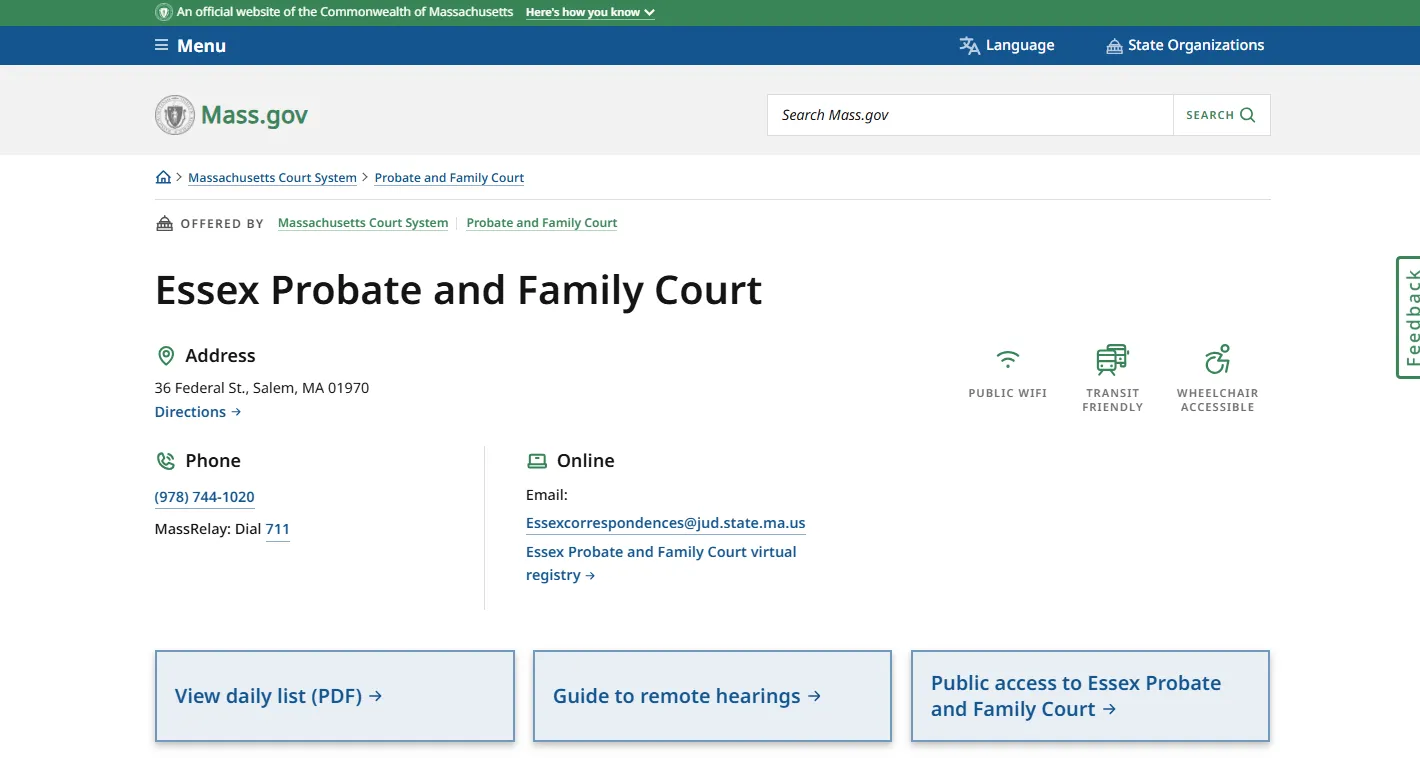
How to use this official page: open the Mass.gov page first for current location details, then choose the task-specific official link for dockets, forms, copies, filing fees, eFiling or virtual registry help.
Choose the Essex Probate and Family Court Resource You Actually Need
Most users are not just looking for a court name. They need one specific action: search a case, file probate paperwork, request an attested copy, use the virtual registry, check fees, or choose the correct Salem or Lawrence location.
Search court dockets, calendars or case information
Docket number, party name, scheduled court dates, calendar checks and basic public case information.
Start with Mass.gov search court dockets, calendars and case information.
Online docket information is not the same as a certified, attested or complete court record.
How to Search or Use Essex County MA Probate Court Resources
Use this simple order before you file a case, request a record, pay a fee, or visit the courthouse. It reduces wrong-location mistakes and helps you use the right Mass.gov page for the task.
Confirm the court division and location
Start with the official Essex Probate and Family Court or Lawrence Probate and Family Court page. Use your notice, case type and Mass.gov location details to decide whether Salem, Lawrence, virtual registry or eFiling is the next step.
Collect the strongest case information
Use the docket number first when available. If you do not have it, gather party names, decedent name, filing year, case type, document title, location and any prior court notice.
Use the official docket or form page
For court dates and basic case information, use the Mass.gov docket and calendar search. For filing, use official Probate and Family Court forms rather than old PDFs or third-party templates.
Check whether you need eFiling, a copy request or virtual registry help
Mass.gov says eFiling is available in all Probate and Family Court divisions 24/7/365. For copies, Mass.gov says users may need a docket number and should contact the specific Probate and Family Court when needed.
Verify fees before paying
Filing, copy, attested copy, exemplified copy and estate-procedure fees may apply. Use the Mass.gov filing-fee page and confirm final payment methods with the court location where you are filing.
Official Essex County MA Probate Court Links
These links are included only where they help the user take a real action: find the location, search dockets, get forms, check fees, eFile, request copies or contact the virtual registry.
Essex Probate and Family Court Salem and Lawrence Locations
Essex County Probate and Family Court users should confirm the correct location before visiting. Salem and Lawrence appear as separate Mass.gov location pages, and the virtual registry can help with registry-type access questions.
Essex Probate and Family Court
Address: 36 Federal St., Salem, MA 01970
Phone listed by Mass.gov: (978) 744-1020
Lawrence Probate and Family Court
Address: 2 Appleton St., Lawrence, MA 01840
Register’s Office phone listed by Mass.gov: (978) 686-9692
Essex Virtual Registry
Phone listed by Mass.gov: (978) 744-1020
Email: [email protected]
Visit planning: Check the official Mass.gov location page or your court notice before traveling. Court hours, counters, security, room locations, access rules and remote-service availability can change.
Essex County Probate Court Case Search, Dockets and Calendars
Mass.gov provides free access to basic case information and scheduled court dates for the public and attorneys through its court dockets, calendars and case information search. For Essex Probate and Family Court users, this is the official starting point before contacting the registry or ordering copies.
How to Get Essex Probate and Family Court Records or Attested Copies
Mass.gov record-copy guidance explains that a docket number is important and that users may need to call the specific Probate and Family Court if they do not know it. For a certified copy of a court record, the court record-copy page gives the official process and payment guidance.
Prepare the right details
- Docket number if available.
- Party names or decedent name.
- Case type, such as estate, guardianship, conservatorship, divorce, custody or name change.
- Document title, such as decree, judgment, appointment, will, petition or order.
- Whether you need a plain, certified, attested or exemplified copy.
Plain copy is not always enough
Banks, title companies, agencies, courts and attorneys may require an attested or certified copy rather than a printout. Ask the receiving organization what copy type is required before ordering.
Informal Probate, Formal Probate and Voluntary Administration in Essex County
Massachusetts probate filings can follow different paths. The best route depends on the estate, whether there is a will, whether the matter is disputed, whether the estate is small, and whether judicial determination is needed. Use official Mass.gov forms and instructions instead of old third-party packets.
Administrative probate path
Mass.gov describes informal probate as an administrative proceeding. It may be used when the estate qualifies and issues are not contested. Check the current petition instructions and forms before filing.
Judicial probate path
Formal probate is commonly used when court determination is needed, such as disputed issues, appointment questions, unclear heirs or other issues requiring a judge.
Simplified small-estate path
Mass.gov describes voluntary administration as a simplified probate procedure for an estate with minimal assets and no real estate. Verify eligibility before using this path.
Essex Probate and Family Court Forms, Filing Fees and Copy Costs
Mass.gov provides Probate and Family Court forms by subject, including divorce, child custody, child support, restraining orders, guardianship, wills and estates. It also provides statewide Probate and Family Court filing-fee information.
Official fee details users often need
Fee warning: Fees can depend on the exact filing, citation, surcharge, copy type and payment method. Always verify the current fee page and the court location where you are filing before paying.
eFiling in Essex Probate and Family Court
Mass.gov says eFiling is available in all Probate and Family Court divisions 24 hours a day, seven days a week, 365 days a year. eFiling can be helpful, but users should still choose the right case type, prepare readable PDFs, use official forms and watch for notices or rejected filings.
Decide whether it is a new case or subsequent filing
A subsequent filing is a document filed within an existing case. A new case may require different starting documents, petition order and filing steps.
Use official forms and complete PDFs
Make sure every required page, signature, attachment, affidavit, notice and supporting document is included before submission.
Check fees or indigency documents
If you cannot afford filing fees, review Affidavit of Indigency requirements and any additional eFiling instructions.
Track acceptance, rejection and hearing notices
Submitting electronically is not the same as court acceptance. Monitor confirmations, notices, rejected filings and correction requests.
Maps to Essex Probate and Family Court Locations
Use these maps for general travel planning only. Always verify the correct location, courtroom, counter, remote-access option and filing method on Mass.gov or your court notice before you travel.
Essex Probate and Family Court — Salem
Address: 36 Federal St., Salem, MA 01970
Lawrence Probate and Family Court
Address: 2 Appleton St., Lawrence, MA 01840
Common Essex County MA Probate Court Mistakes
Using a printout when an attested copy is required
Docket results and downloaded pages may not satisfy banks, title companies or other agencies. Ask whether an attested, certified or exemplified copy is required.
Using an old probate packet
Probate and Family Court forms can change. Use the current Mass.gov forms page and instructions for the correct filing category.
Assuming Salem or Lawrence without checking
Confirm the address on Mass.gov or your court notice before visiting. Court tasks may be location-specific or available through virtual registry or eFiling.
Expecting legal advice from court staff
Court staff can usually help with procedure, forms and registry routing, but they cannot choose a legal strategy or tell you what legal action to take.
Why an Essex Probate and Family Court Case May Not Show Online
No online result does not prove that no case exists. Try these checks before paying a private site or assuming the matter is missing.
Name mismatch
Try full legal names, alternate spellings, maiden names, estate names or docket number.
Wrong case type
Probate, guardianship, conservatorship, divorce, custody, support and name-change matters may be searched differently.
Wrong location
Confirm whether the matter belongs to Essex Probate and Family Court, Lawrence Probate and Family Court or another Massachusetts division.
Restricted record
Some records may be impounded, sealed, confidential, limited or not fully accessible online.
Older record
Older probate or family records may require court or archive guidance instead of a simple online search.
Copy request needed
You may need the official record-copy process even if a docket entry appears online.
Useful Related Massachusetts Probate Guides
Use these only as related reading. For Essex County action, rely on the official Mass.gov Essex court, docket, forms, fees, eFiling and record-copy links above.
Essex County MA Probate Court FAQs
Where is Essex County MA Probate Court?
Mass.gov lists Essex Probate and Family Court at 36 Federal St., Salem, MA 01970. Mass.gov also lists Lawrence Probate and Family Court at 2 Appleton St., Lawrence, MA 01840.
What phone number should I use for Essex Probate and Family Court?
Mass.gov lists the Essex Probate and Family Court phone as (978) 744-1020. The Lawrence Probate and Family Court page lists the Register’s Office phone as (978) 686-9692.
How do I search Essex Probate and Family Court dockets?
Start with the Mass.gov Search Court Dockets, Calendars and Case Information page. Use the docket number first if you have it, then try party names, case type, date range or other details.
How do I get a copy of an Essex Probate and Family Court record?
Use the Mass.gov record-copy guidance. Prepare the docket number, names, document title, court division and copy type. If you do not know the docket number, Mass.gov says you can use the docket search or call the specific Probate and Family Court.
Can I eFile in Essex Probate and Family Court?
Mass.gov says eFiling is available in all Probate and Family Court divisions 24/7/365. Before submitting, check whether you are starting a new case or making a subsequent filing and confirm the required forms and fees.
What is the Essex Probate and Family Court virtual registry?
The virtual registry is a remote access resource for registry-type assistance. Mass.gov lists the Essex virtual registry contact as (978) 744-1020 and [email protected] for access questions.
Where do I find Essex Probate and Family Court forms?
Use the official Mass.gov Probate and Family Court forms page. It includes forms by subject, including wills, estates, guardianship, conservatorship, divorce, custody, support and related matters.
How much are attested copies in Probate and Family Court?
Mass.gov’s Probate and Family Court filing-fee page lists attested copies of court documents and records at $2.50 per page. Verify the current total before ordering because other copy types or request fees may apply.
What is the difference between informal probate and formal probate?
Informal probate is generally an administrative route when the estate qualifies and there is no dispute. Formal probate is used when judicial determination is needed, such as disputed issues, unclear heirs, will contests or appointment questions.
Can court staff tell me which probate filing to use?
Court staff can usually provide procedural information, forms, fee guidance and registry routing. They generally cannot give legal advice or tell you which legal action is best. For legal advice, contact a Massachusetts attorney.
Best Next Step for Essex County MA Probate Court Users
For Essex County MA Probate Court help, use this order: verify the correct Mass.gov court location, search dockets only through official court resources, use current Mass.gov forms, check filing and copy fees, use eFiling when appropriate, and contact the virtual registry or court location when the result matters.
This page is an independent informational guide published for ProbateCourtUSA.org. It is not Mass.gov, Essex Probate and Family Court, Lawrence Probate and Family Court, the Massachusetts Trial Court, a court office, or a law firm. Always verify urgent or official matters directly with Mass.gov, the court location, or a qualified Massachusetts attorney.